M
MercyNews
Home
Back
Bombeiro de Murcia passa por situação dramática que termina em segurança
Crime

Bombeiro de Murcia passa por situação dramática que termina em segurança

La Vanguardia5h ago
3 min de leitura
📋

Fatos Principais

  • Um bombeiro do Corpo de Bombeiros de Murcia ameaçou cometer autoimolação na praça central da cidade na manhã de segunda-feira.
  • O incidente ocorreu na praça del Cardenal Belluga, um espaço público proeminente no coração de Murcia.
  • O bombeiro teria se derramado gasolina antes de ameaçar se incendiar, método conhecido como 'a lo bonzo'.
  • Fontes municipais confirmaram que o evento ocorreu aproximadamente quinze minutos antes das 9:00.
  • A rápida intervenção da Polícia impediu o ato e garantiu a segurança do indivíduo.
  • O Servicio de Extinción de Incendios y Salvamento del Ayuntamiento de Murcia é o corpo de bombeiros oficial envolvido no incidente.

Resumo Rápido

Uma situação dramática e tensa se desenrolou no coração de Murcia na manhã de segunda-feira, envolvendo um membro dos próprios serviços de emergência da cidade. Um bombeiro do corpo local ameaçou se incendiar em uma praça pública, criando uma cena de perigo imediato e preocupação pública.

O incidente ocorreu na plaza del Cardenal Belluga, uma localização proeminente no centro da cidade. A situação foi resolvida através da ação rápida e decisiva da Policía, que interveio antes que o bombeiro pudesse executar sua ameaça. Este evento chamou a atenção para as pressões enfrentadas por socorristas.

O Incidente se Desenrola

O evento começou nas primeiras horas da manhã, com fontes municipais indicando o horário de início aproximadamente quinze minutos antes das 9:00. A figura central deste incidente era um bombeiro empregado pelo Servicio de Extinción de Incendios y Salvamento del Ayuntamiento de Murcia (SEIS). Este é o serviço oficial de incêndios e resgate para a cidade de Murcia.

O bombeiro se posicionou na plaza del Cardenal Belluga e procedeu a se derramar gasolina. Ele então emitiu uma ameaça de quemarse a lo bonzo—um termo que descreve o ato de autoimolação. Isso criou uma situação imediata e volátil em um espaço público.

Os elementos-chave do evento foram:

  • Localização: Plaza del Cardenal Belluga, Murcia
  • Horário: Aproximadamente 8:45 na segunda-feira
  • Indivíduo: Um bombeiro do departamento SEIS
  • Ameaça: Autoimolação após se derramar gasolina

Intervenção da Polícia

A situação foi desfeita não pelos colegas do bombeiro, mas pela polícia da cidade. A Policía respondeu ao local e sua intervenção foi descrita como rápida. Sua ação rápida foi o fator crítico na prevenção de um resultado trágico.

Ao intervir antes que a ameaça pudesse ser executada, a polícia evitou com sucesso a autoimolação. O foco de sua resposta foi desescalar a situação e garantir a segurança do indivíduo envolvido. O resultado foi a prevenção do ato, garantindo o local e a pessoa.

...la rápida intervención de la Policía evitó que lo hiciera.

A intervenção bem-sucedida destaca o papel das forças da lei na gestão de incidentes críticos envolvendo pessoal de segurança pública. A situação foi contida sem maior escalada.

Contexto e Significado

Este incidente traz à tona as imensas pressões que podem ser colocadas sobre indivíduos em profissões de alto estresse, como bombeiros. O Servicio de Extinción de Incendios y Salvamento del Ayuntamiento de Murcia é um serviço crítico para a comunidade, e um evento desta natureza é profundamente preocupante.

A própria localização, a plaza del Cardenal Belluga, é um espaço público significativo. Um incidente desta natureza em uma área tão central sublinha o potencial de interrupção pública e a necessidade imediata de uma resposta de emergência coordenada.

Aspectos-chave da situação incluem:

  • A profissão do indivíduo envolvido
  • A natureza pública da localização
  • A ameaça imediata à vida
  • A desescalada bem-sucedida pelas autoridades

Resolução e Consequências

O incidente concluiu com a Policía impedindo com sucesso a autoimolação. O bombeiro foi assegurado e o perigo imediato foi neutralizado. A resposta rápida garantiu que nenhum dano fosse feito ao indivíduo ou ao público nas proximidades da praça.

O evento serve como um lembrete claro do elemento humano dentro dos serviços de emergência. Embora o foco seja frequentemente nos perigos que os bombeiros enfrentam no cumprimento do dever, este incidente destaca as crises pessoais que podem surgir. A resolução bem-sucedida foi um resultado direto da resposta efetiva e rápida da força policial.

Olhando para o Futuro

A resolução bem-sucedida deste impasse em Murcia demonstra a eficácia da resposta de emergência coordenada. A ação rápida da polícia impediu uma tragédia potencial e trouxe uma situação perigosa a uma conclusão segura.

Este evento provavelmente irá incentivar discussões sobre sistemas de apoio para o pessoal dos serviços de emergência. O foco agora se volta para o bem-estar do indivíduo envolvido e para a segurança contínua dos espaços públicos da cidade.

Perguntas Frequentes

O que aconteceu em Murcia?

Um bombeiro do Corpo de Bombeiros de Murcia ameaçou se incendiar na praça del Cardenal Belluga. Ele havia se derramado gasolina antes que a polícia intervisse e impedisse o ato.

Quando este incidente ocorreu?

O evento ocorreu em uma manhã de segunda-feira, aproximadamente quinze minutos antes das 9:00, de acordo com fontes municipais.

Quem impediu a tragédia?

A Polícia (Policía) respondeu rapidamente ao local e sua intervenção foi bem-sucedida em impedir que o bombeiro levasse sua ameaça a cabo.

Onde o incidente aconteceu?

O impasse ocorreu na praça del Cardenal Belluga, uma praça pública central e proeminente na cidade de Murcia.

#Murcia

Continue scrolling for more

IA transforma a pesquisa e as provas matemáticas
Technology

IA transforma a pesquisa e as provas matemáticas

A inteligência artificial está se tornando uma realidade na matemática. Modelos de aprendizado de máquina agora geram teoremas originais, forçando uma reavaliação da pesquisa e do ensino.

Just now
4 min
409
Read Article
This Wireless Mic Kit Is $70 Off
World_news

This Wireless Mic Kit Is $70 Off

Save on a full DJI Mic 3 bundle, or pick and choose to build your own portable recording setup.

12m
3 min
0
Read Article
Yves Bomati : « Face à l’Iran, les États-Unis se préparent-ils réellement à un affrontement ?»
World_news

Yves Bomati : « Face à l’Iran, les États-Unis se préparent-ils réellement à un affrontement ?»

ENTRETIEN - Alors que le pouvoir des mollahs est de plus en plus contesté, le président américain a assuré qu’une « armada » navale était en route vers le golfe Persique. Les États-Unis d’un côté et les soutiens iraniens de l’autre évaluent les conséquences d’une guerre ouverte, analyse l’historien*.

13m
3 min
0
Read Article
Les Français ont adopté les services bancaires en ligne mais tiennent toujours à leurs agences
World_news

Les Français ont adopté les services bancaires en ligne mais tiennent toujours à leurs agences

D’après un sondage Ifop, près de la moitié des répondants ne se rendent pas ou peu en agence bancaire, mais 78% souhaitent tout de même continuer à y avoir accès.

19m
3 min
0
Read Article
ICE killings a ‘watershed moment’: Trump, Republicans risk breaking with the American people
Politics

ICE killings a ‘watershed moment’: Trump, Republicans risk breaking with the American people

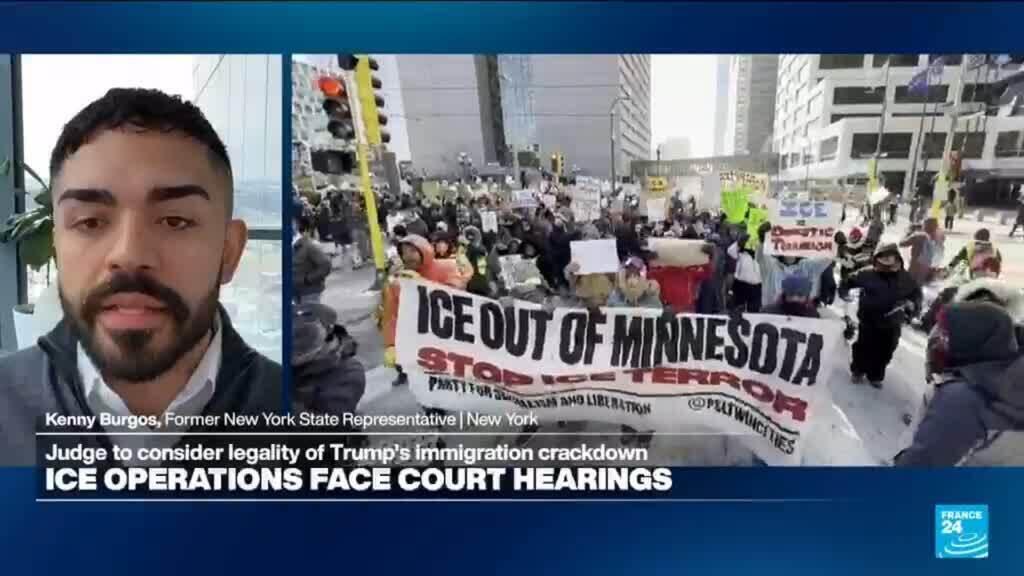
Nadia Massih welcomes former New York State Assemblyman Kenny Burgos (D) who offers a candid reflection on the killing of Alex Pretti by an ICE agent, described as a veritable "watershed" in American political consciousness. Mr. Burgos speaks from both political and personal vantage points, invoking the silent fear ripping beyond immigrant communities. The violent tactics of ICE, also targeting lawful migrants and US citizens, are striking fear across American as the country faces a reckoning with the very soul of American democracy.

26m
3 min
0
Read Article
Billie Eilish Concert Doc Release Pushed to May; James Cameron Says ‘We’re Dialing in Cool, New 3D Tech’
Technology

Billie Eilish Concert Doc Release Pushed to May; James Cameron Says ‘We’re Dialing in Cool, New 3D Tech’

James Cameron revealed on Monday that the release of the Billie Eilish 3D concert documentary “Billie Eilish: Hit Me Hard and Soft,” which he co-directed with Eilish, has been pushed two more months to May 8 via Paramount. “We’re refining the cut; dialing in cool, new 3D tech; adding some special behind-the-scenes we know you’ll […]

26m
3 min
0
Read Article
Jensen Huang says it's 'ridiculous' to say Nvidia's $2 billion investment in CoreWeave is another circular deal
Technology

Jensen Huang says it's 'ridiculous' to say Nvidia's $2 billion investment in CoreWeave is another circular deal

Nvidia CEO Jensen Huang Markus Schreiber/AP Nvidia CEO Jensen Huang pushed back on criticism of the chipmaker's investment structures. Huang said its latest investment in CoreWeave was not a circular deal. Chipmakers' investments in leading tech companies, which are also customers, have raised worries about an AI bubble. Nvidia CEO Jensen Huang is done with the questions about circular financing. Huang called it "ridiculous" to suggest that Nvidia's latest deal, a $2 billion investment in CoreWeave, is the latest circular deal between AI chipmakers and tech companies, a trend that has sparked some concern among some investors. "These are generational companies — the investments that we make is confidence in them," Huang told Bloomberg News. "But it's a small percentage of the amount of money that they ultimately have to go raise, and so the idea that it is circular is — it's ridiculous." As part of the arrangement, Nvidia is expanding its previous investment in the cloud company by buying $2 billion worth of its shares. According to a joint statement, the money will assist CoreWeave's "procurement of land, power, and shell to build AI factories." The future AI factories will then be powered by Nvidia's chips. Huang portrayed the latest deal and past arrangements with the likes of OpenAI, Anthropic, and Elon Musk's xAI as just a small portion of what the companies need to raise to finance their massive AI expansion plans. For example, OpenAI is committed to spending roughly $1.4 trillion over the next eight years, largely on data centers. "Whatever we decide to invest is a small percentage, very small percentage of the overall amount of infrastructure, capital they're going to have to raise," Huang told CNBC in a separate interview. This is far from the first time Nvidia has bristled at concerns about its deals. In November, the world's largest company by market cap sent a letter to Wall Street analysts in response to investor Michael Burry of "The Big Short" fame, who has questioned whether Nvidia was on solid financial footing. "Nvidia's underlying business is economically sound, our reporting is complete and transparent, and we care about our reputation for integrity," the memo said. Burry has said he stands behind his analysis of the company, comparing it to one of Silicon Valley's giants before the Dotcom crash. "I am not claiming Nvidia is Enron," he wrote on his Substack. "It is clearly Cisco." Read the original article on Business Insider

28m
3 min
0
Read Article
Apple releases iOS 26.2.1 for iPhone, here’s what’s new
World_news

Apple releases iOS 26.2.1 for iPhone, here’s what’s new

Apple today has officially released iOS 26.2.1 for iPhone. This update comes a month after the launch of iOS 26.2, which brought changes to Liquid Glass, CarPlay, and much more. more…

31m
3 min
0
Read Article
How to generate AI images using ChatGPT
Technology

How to generate AI images using ChatGPT

Since March 2025, ChatGPT has been capable of generating images. Following a period where it briefly wasn't available to free users, you now don't even pay for one of OpenAI's subscriptions to use this feature. And while making images inside of ChatGPT is easy, there are some nuances worth explaining. For example, did you know you can ask ChatGPT to edit photos you've taken? It's more powerful than you might think. Here’s everything you need to know about generating AI images with ChatGPT. How to create images with ChatGPT using text prompts To begin making an image in ChatGPT, you can start by typing in the prompt bar. Igor Bonifacic for Engadget You can start generating images in ChatGPT simply by typing in the prompt bar what you want to see. There's no need to overthink things; as long as you have some version of "generate an image" followed by a description of your idea, ChatGPT will do the rest. Depending on the complexity of the prompt and whether you pay for ChatGPT, it may take a minute or two for the chatbot to complete your image request. Sometimes the process can take longer if OpenAI's servers are experiencing greater traffic than usual. At the end of last year, OpenAI updated the model powering image generation to make it faster, as well as better at rendering text and following instructions. At the same time, it added a dedicated "Images" section to ChatGPT's sidebar. Here you can see all the images you've made, alongside sample prompts and suggestions for styles to try out, making it a great place to start if you've never used an image generator before. How to create images with ChatGPT using existing photos You can also upload images to ChatGPT. Igor Bonifacic for Engadget In addition to generating images from text prompts, ChatGPT can modify existing photos or images you upload. This is my preferred way of making images with ChatGPT; I don't need to describe the composition, I can use an existing one to guide the chatbot. To use an existing image as a starting point for a new generation, follow these steps: Tap the "+" icon, located to the left of the prompt bar. Select Add photos & files. Select the image you want ChatGPT to edit. If uploading an image from your phone, you'll first need to grant ChatGPT access to your camera roll. Write a prompt describing the changes you want. If generating from the Images section, tap "Add photos" instead. Keep in mind any photos you upload to OpenAI's servers may be used by the company to train future models. You can opt out of allowing your data to be used for training by following these steps: Open the sidebar menu. On mobile, tap the two lines on the top left of the interface; on desktop, click instead on the OpenAI logo. Tap your name to access account settings. Tap Data controls. Toggle off Improve the model for everyone. How to edit the images ChatGPT generates ChatGPT gives you a few different ways to edit images. Igor Bonifacic for Engadget If you're unhappy with ChatGPT's output, you have two options. You can either prompt it to create an entirely new image, or edit parts of the picture it just generated. As always, the process for both involves simply typing what you want in the prompt bar. On mobile, OpenAI gives users a few different ways of accomplishing the same task. To generate an entirely new image: Tap the three dots icon below the image ChatGPT created. Select Retry. To edit part of an existing image generation: Tap the image ChatGPT created. Tap Select area. Use your finger to mask the section of the image you want ChatGPT to tweak. The slider on the left allows you to adjust the size of the masking brush. On desktop, masking is also available if you click on an image and then click on the paintbrush icon on the top right. Describe what you want ChatGPT to add, remove or replace through the prompt bar. ChatGPT can also blend one of your photos with an image it has generated. To do this: Tap an image ChatGPT created. Tap Blend in a photo. Upload the photo you wish Like all AI systems, ChatGPT is non-deterministic, meaning even if you prompt it in the same way multiple times, it won't generate the exact same response each time. Tips to create better images with ChatGPT The best advice I can offer is to be specific when prompting ChatGPT. The more detail you can provide when describing what you want from it, the better the results. And remember: ChatGPT can hallucinate — as you may have noticed from one of the example pictures I included above. In the image of the tortoiseshell cat, not only is the tortie not sitting on the window sill as instructed, it's sitting on a table that doesn't make much sense. So, most of all, be patient. Prompting an AI model is not exact science, and it can take a few tries before it creates the result you want. FAQs How do you access ChatGPT? ChatGPT is available on the web, desktop and mobile. To access it on your computer, open your preferred browser and navigate to chatgpt.com. OpenAI also offers dedicated Mac and Windows apps you can download from the company's website. On iOS and Android, you'll need to download the ChatGPT app from either the App Store or Google Play before you can start using the chatbot. Since ChatGPT runs on OpenAI's servers, as long as you can access the chatbot, you'll be able to use it to create images no matter the age of your phone or computer. Can ChatGPT generate images for free? Yes, ChatGPT can generate images for free, as long as you create an OpenAI account. However, there is a daily rate cap and GPT-5 will take longer to make a free image. Following March 27, 2025, OpenAI briefly limited free users to three image generations per day. The company has since relaxed that restriction, though it doesn't list a specific limit on its website. In my experience, you'll be able to generate about six to seven images every 24 hours. OpenAI offers three different subscription plans, each with their own set of image generation perks. ChatGPT Go, which costs $8 per month, offers "more image creation." ChatGPT Plus, which costs $20 per month, offers "expanded and faster image creation." ChatGPT Pro, which costs $200 per month, offers "unlimited and faster image creation." Note: ChatGPT Go will be included in OpenAI's forthcoming ads pilot, which will see the company display sponsored content alongside organic responses from ChatGPT. The company does not plan to display ads to Plus and Pro users. Can ChatGPT generate an existing photo? No. For copyright reasons, ChatGPT can't replicate photos or exact real world events. For example, when I asked it to recreate the photo of Zinedine Zidane's iconic 2006 World Cup headbutt, ChatGPT refused. "I can make an artistic reinterpretation inspired by the emotion or energy of that moment — for example, a stylized painting showing the tension and intensity of competition, without depicting real individuals," it told me. This article originally appeared on Engadget at https://www.engadget.com/ai/how-to-generate-ai-images-using-chatgpt-120000560.html?src=rss

32m
3 min
0
Read Article
World_news

Anthropic launches interactive Claude apps, including Slack and other workplace tools

Claude users will now be able to call up interactive apps inside the chatbot interface, with Cowork integration coming soon.

37m
3 min
0
Read Article
🎉

You're all caught up!

Check back later for more stories

Voltar ao inicio